sshido
An SSH terminal for iPhone and iPad, built for running coding agents on your own server.
What it is
A terminal for people who leave Claude Code or Codex working on a server and want to follow it from their phone. Every terminal opens inside its own tmux session on the server, so the work keeps running when the phone locks or loses signal, and the app lands back in the same session when you return. When an agent finishes or stops to ask something, a push notification arrives.
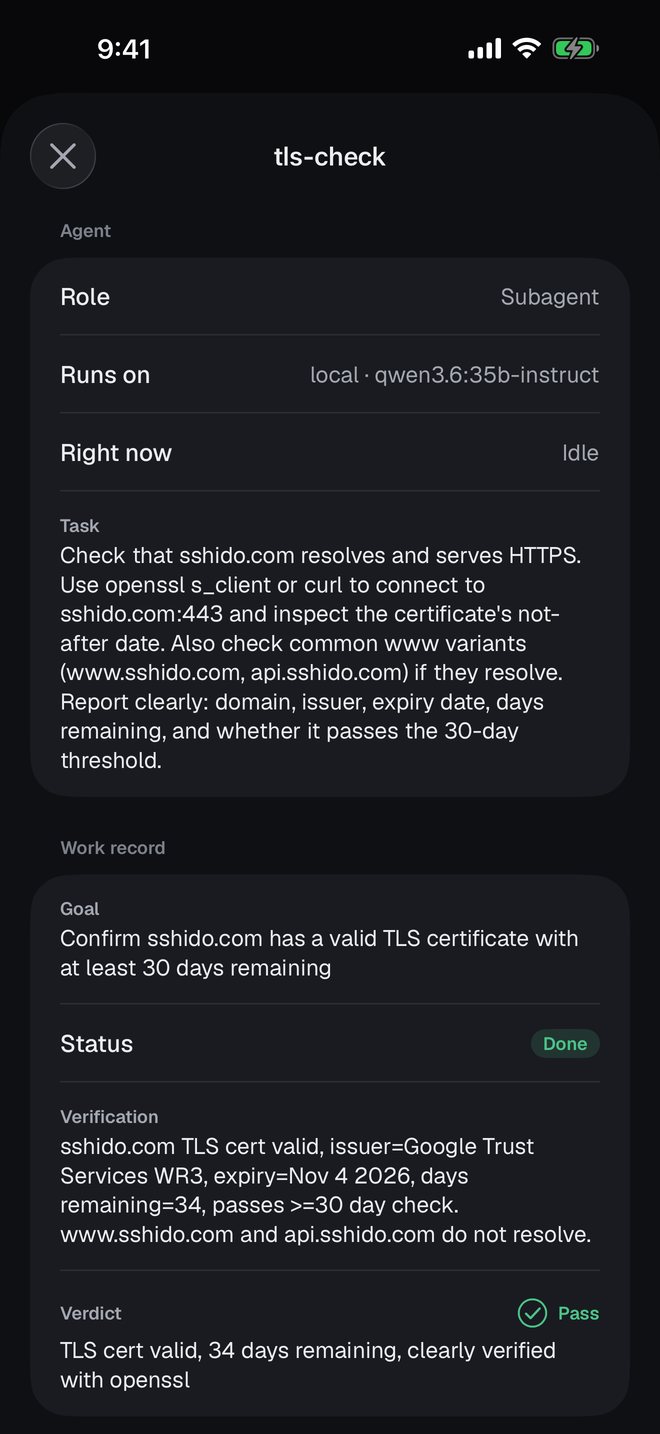
The newest part is agent mode. You chat with an orchestrator agent running on your own machine. It starts subagents in Podman containers for longer or parallel work, and each one keeps a work record: its goal, what it checked, and a pass or fail verdict from the orchestrator.
The terminal and push notifications have been on the App Store since 12 May 2026, free. Agent mode arrived on 29 September and is in TestFlight builds, not yet in the App Store version. The source is on GitHub under the MIT license.
How it's built
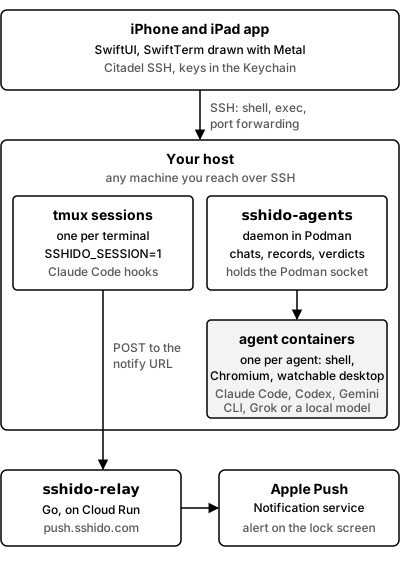
The app, your host, and the push relay.
The app is SwiftUI on iOS 17 and later, written in Swift 5.10. SSH runs through Citadel on a pinned fork of Apple's swift-nio-ssh. SwiftTerm parses the terminal stream and a Metal renderer draws it. Ed25519 keys can be generated in the app, Ed25519 and RSA keys can be imported, and both live in the Keychain, readable only while the device is unlocked. A server's host key is remembered on the first connection and checked on every one after; a changed key stops the connection until you decide.
Push notifications go through sshido-relay, a small Go service. Subscribing gives the phone a notify
URL that ends in a random 128-bit token, and that URL is the whole credential. The app then copies a setup
prompt you paste into Claude Code on the server. Claude writes a hook script and adds Notification,
Stop and StopFailure hooks, each gated on the SSHIDO_SESSION variable that sshido sets in the shells
it opens. The relay turns any Markdown in the message into plain text before it reaches the lock screen.
The App Store build only talks to the hosted relay at push.sshido.com, which runs on Cloud Run, and
the address can't be changed in that build.
Agent mode is a second Go service, sshido-agents, that runs as a Podman container on your host. The
app talks to it over the same SSH connection, through podman exec and a stream of JSON lines. The daemon
creates one container per agent through Podman's API and is the only container that can reach the Podman
socket. Each turn runs the chosen command-line agent headless inside that container. To show an agent's
desktop, the app forwards the container's noVNC port over SSH to a port on the phone and opens it there.
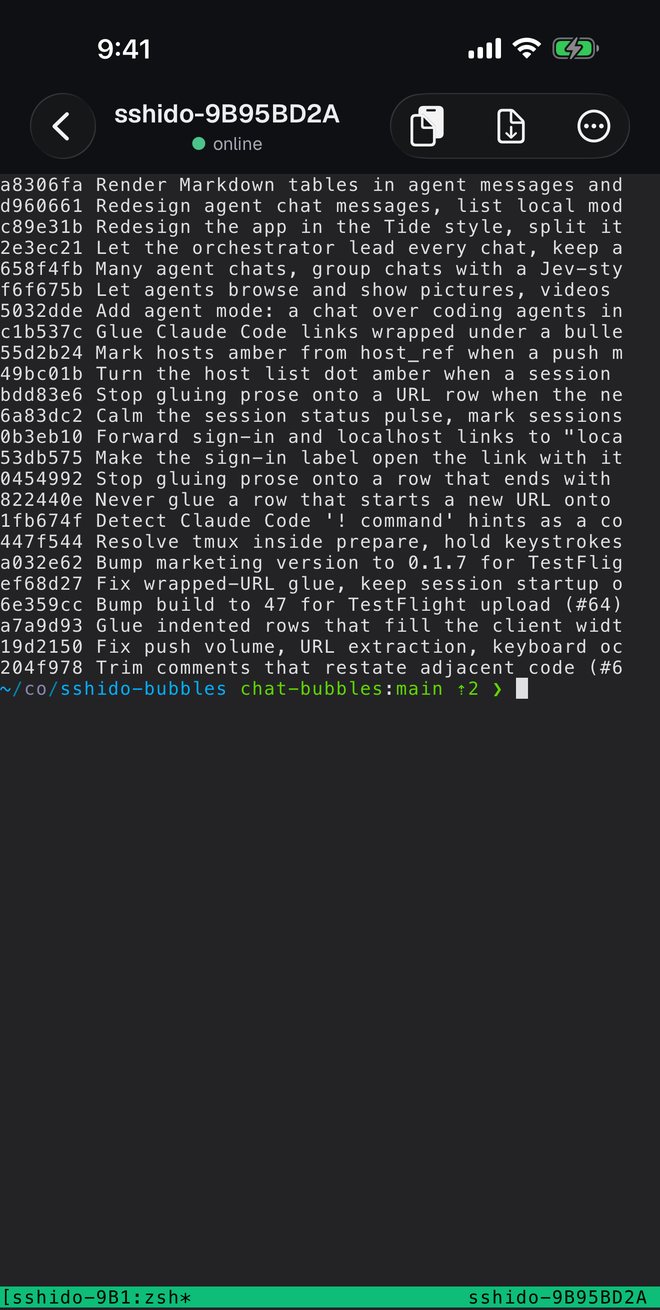
About 17,100 lines of Swift in the app and 4,600 lines of Go in the two services, with 290 Swift tests and 79 Go tests. 133 commits since the first one on 16 April 2026.
Two decisions behind it
SSH is the only transport
Everything the app does rides one SSH connection. The terminal is an SSH shell, server metrics are shell
commands run over SSH exec channels, agent chats are a podman exec over SSH, and an agent's desktop is
an SSH port forward. There is no sshido server between the phone and your machine, and nothing to open on
your firewall beyond the SSH port you already use.
The cost is that iOS gives an app no reliable way to keep a socket alive in the background, and sshido doesn't use mosh, which would survive network changes. Persistence comes from tmux on the server instead, and the app's job is to find its way back into the right session, which is the hard problem below.
The push relay is the one service outside your machine. Apple only delivers pushes signed by the team that ships the app, so the App Store build is tied to the hosted relay; a relay you run yourself works only with your own build of sshido. What the hosted relay does can be checked: its source is public, and it keeps a random subscriber ID, the device token, a push count and a mute flag per phone. The alert text passes through to Apple without being stored.
Never pay for or proxy a model
sshido never sits between you and a model. In agent mode, the agents run the same command-line tools you use at your desk, signed in with your own accounts: Claude Code, Codex, Gemini CLI and Grok. A local model goes through Codex, pointed at an OpenAI-compatible endpoint you host. Prompts go from your host to the provider you chose. That keeps the product free of model costs and keeps your code off any server sshido runs.
The orchestrator still has to be trusted with other agents' work, so the daemon enforces the rules rather than the prompt. Only the orchestrator can start, message, stop or judge agents, and it can run at most 12 live workers per chat. A subagent can't mark itself done until it has written down what it verified, and the orchestrator can't pass an agent that has no verification on record.
The hard problem: landing back in the same tmux session
The phone loses its SSH connection all the time: the screen locks, the app goes to the background, the network changes. Every return is a fresh connection, and it has to land in the exact tmux session that was there before, with no stray keystrokes typed into the wrong place.
Two things make that harder than reattaching by name. A session can be renamed on the server, so the
stored name stops matching. And tmux numbers sessions $0, $1 and so on per server, so after the tmux
server restarts, a stored session ID can point at a different session.
The app handles it in steps:
- Each sshido session gets a tmux name derived from it, such as
sshido-9B95BD2A. - Before touching the terminal, a separate SSH exec channel runs a short script with an 8-second timeout. It finds the tmux binary, reuses the stored session if it still exists or creates it otherwise, and prints the exact target to attach to.
- Only then does the app type one short line into the terminal:
unset TMUX TMUX_PANE; exec '<tmux>' attach -t '<target>'. Keystrokes made while this runs are held back until the line is in. - When the app lists the server's sessions, it matches each of its own sessions to one on the server: by name first, then by session ID, but only when the session's creation time matches too.
for s in locals {
    guard let r = byName[s.tmuxName ?? derivedName(s)], !claimed.contains(r.sessionID) else { continue }
    claimed.insert(r.sessionID)
    matched.insert(s.id)
    bindings.append(TmuxBinding(localID: s.id, remote: r))
}

for s in locals where !matched.contains(s.id) {
    guard let sid = s.tmuxSessionID, let created = s.tmuxCreatedAt else { continue }
    guard let r = remotes.first(where: {
        $0.sessionID == sid
            && !claimed.contains($0.sessionID)
            && sameInstant($0.createdAt, created)
    }) else { continue }
    claimed.insert(r.sessionID)
    bindings.append(TmuxBinding(localID: s.id, remote: r))
}
The ID match is what follows a rename made on the server. The creation-time check is what stops a recycled ID from a restarted tmux server binding the wrong session. Sessions on the server that match nothing are offered for adoption.
The tests cover each of those cases by name: following a rename, refusing a recycled ID from a restarted server, a name match winning over a stale ID, two local sessions never claiming the same remote one, and a killed session not being rebound. Other tests check that the attach targets an exact name, so a session can't attach to a longer name that starts with its own, and that the typed line fits on two rows of a phone-width terminal.
What it still misses. The app sends no SSH keepalive. It notices a dead connection by checking every
second, confirming after two more, and waiting at least five seconds between reconnects, and a network
change by itself doesn't trigger one. Creation times are compared to the whole second. If the setup
script times out, the app falls back to typing the full tmux command blind. And SSHIDO_SESSION is set
for the whole tmux server, so a Claude Code session started later from a desktop terminal inside that
same tmux server will push to the phone as well.